


Marikumar G
GOOD
Genuine products, on-time delivery, and excellent customer response. Highly satisfied with the service!
5 days ago

 Based on over 4900 reviews
Availability: In stock

Full 12-month warranty

Available for dispatch immediately

We deliver worldwide
| Manufacturer: | ABB |
|---|---|
| Part number: | ACS-CP-A |
All orders are subject to product availability. See our T&Cs.
Ask our team
Ask our team

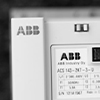
The ABB ACS-CP-A is a compact and user-friendly operator panel designed for seamless integration with the ACS310, ACS350, ACS355, and ACS550 series. With dimensions of 20 x 70 x 102 mm, this panel is designed to provide a convenient interface for monitoring and controlling your ABB drives. The ACS-CP-A is part of ABB's ACS series, renowned for their reliability and performance. This operator panel is an essential component for managing your drive systems, offering a straightforward and efficient way to optimise your operations. Whether you're looking to upgrade your existing system or implementing a new one, the ABB ACS-CP-A operator panel is a reliable choice for enhancing your automation processes.
This content has been produced using multiple sources. EU Automation takes no responsibility for the accuracy of this information. Always consult the original equipment manufacturer for the most up to date instructions and information.


Global supplier of quality automation and control components


Dispose of your old unit by exchanging it for a working part.


A comprehensive repair service for faulty equipment.

Discover how we do our part to keep your production lines moving.
How do I submit a part enquiry?
+
How long is my quote valid for?
+
Why can't I see a price for a part?
+
Are the parts fully tested?
+
Do you provide warranty as standard?
+
Do you offer global delivery?
+
How long will it take for my part to arrive?
+
What payment options and currencies do you accept?
+

We’re having trouble submitting your query at the moment. Please check your internet connection and refresh the page to try again.
Get in touch with our team directly and they’ll be happy to help.


